Modern trends
If the CPU is the heart of a computer and the monitor is the face of the computer, then the keyboard is the mouth of the computer, which enables smooth communication between humans and computers.
A Brief History of "Big Mouth"
In the PCXT/AT era, keyboards were primarily designed with 83 keys, which gradually became obsolete with the emergence of window systems.
A Preliminary Exploration of "Mouth Shape"
The keyboard has three indicator lights: CapsLock (uppercase and lowercase lock), NumLock (numeric keypad lock), and ScrollLock, which indicate the current status of the keyboard. These indicator lights are generally located in the upper right corner of the keyboard. Some keycaps have built-in indicator lights that make it easier to determine the current status of the keyboard, but due to the complex process of this design, most keyboards do not adopt this design.
No matter how the form of the keys changes, the basic key arrangement remains unchanged and can be divided into main keyboard area, numeric auxiliary keyboard area, F-key function keyboard area, control keyboard area, and shortcut keyboard area.
The Battle of the Three Mouths
Keyboard can be divided into three categories according to application: desktop keyboard, laptop keyboard, and industrial computer keyboard.
Traditional desktop keyboards are still the mainstream in the market, but in terms of appearance and technology, there is no essential difference compared to products from a few years ago. With the improvement of quality of life, the heavy desktop keyboard and fashionable and healthy LCD display, as well as the flexible and comfortable photoelectric mouse, are becoming increasingly incompatible. The traditional desktop keyboard adopts a sliding track structure. Although the key stroke of the keys is relatively long and the feel of the keys is good, due to the defects of the structure itself, the sound when entering text is relatively loud.
Therefore, many manufacturers have made continuous improvements to traditional keyboards. The ultra-thin keyboard, launched in the second half of 2006, has a thinnest thickness of less than 1cm, breaking through the thickness and hardness of old-fashioned keyboards. The lines and curves are more natural and smooth, and the buttons are slightly protruding and textured. The entire appearance is exquisite and elegant, leaving a lasting impression. At the same time, the emergence of waterproof keyboards has taken the development of keyboards to a higher level.
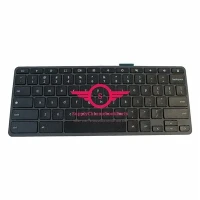
The characteristics of keyboards with architecture such as laptop keyboards are lightweight, compact, and stylish in appearance. Choosing a laptop keyboard to match with a LCD display can make the entire desktop look simple and stylish. In terms of use, the keys will not tilt due to uneven tapping force or incorrect tapping position, and there will be no jamming of the keys; The required force is relatively small, and users are not easily fatigued by prolonged input; The keystroke is very short, and the tactile feedback when typing is far inferior to that of a desktop keyboard. In terms of mute, the sound of users typing text is much smaller than that of desktop keyboards.